Canva Alternatives for Social Media Graphics: Tools That Actually Keep Up in 2026
Discover which Canva alternatives help you scale content faster, maintain brand consistency, and create original visuals without repetitive manual work.
When Canva launched in 2013, it did something genuinely radical. It took graphic design, a skill that previously required expensive software, formal training, or a full-time designer on your payroll, and made it accessible to anyone with a browser. For marketers, small business owners, and solo creators, it was nothing short of transformative.
Suddenly, a marketing manager could spin up a social media banner in twenty minutes. A startup founder could build a pitch deck without opening Photoshop. A blogger could design their own featured images without hiring a freelancer for every post.
For that era of content marketing, static posts, Facebook cover photos, the occasional Instagram square, Canva was exactly the right tool.
But here's the thing: that era was a decade ago.
How Social Media Graphics Have Changed (The Shift That Makes This Conversation Necessary)
Think about what social media means in 2025 versus 2013. In 2013, it was a 1080x1080 JPEG you'd drop into your Facebook feed. Designed once, posted once, forgotten.
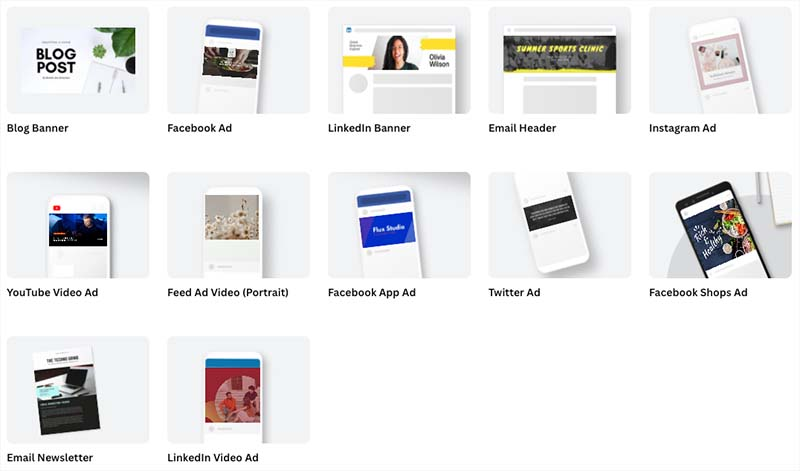
Today, that same piece of content needs to become a Reel thumbnail, a carousel, a Story, a LinkedIn banner, an email header, and possibly an ad variant, all with slightly different dimensions, slightly different crops, and ideally without you rebuilding the same design six times. On top of that, your audience now scrolls through hundreds of graphics daily. Generic template-style visuals don't cut through anymore. And the volume of content expected from marketing teams has tripled.
The result? Many marketers are finding themselves working around Canva rather than with it. Here's where the friction tends to show up:
Brand consistency at scale. When multiple team members are creating content, templates can get tweaked, wrong fonts get used, and brand guidelines quietly erode post by post.
AI-native workflows. Canva added AI features, but they feel bolted on. Marketers increasingly want tools where AI is the starting point, not an add-on.
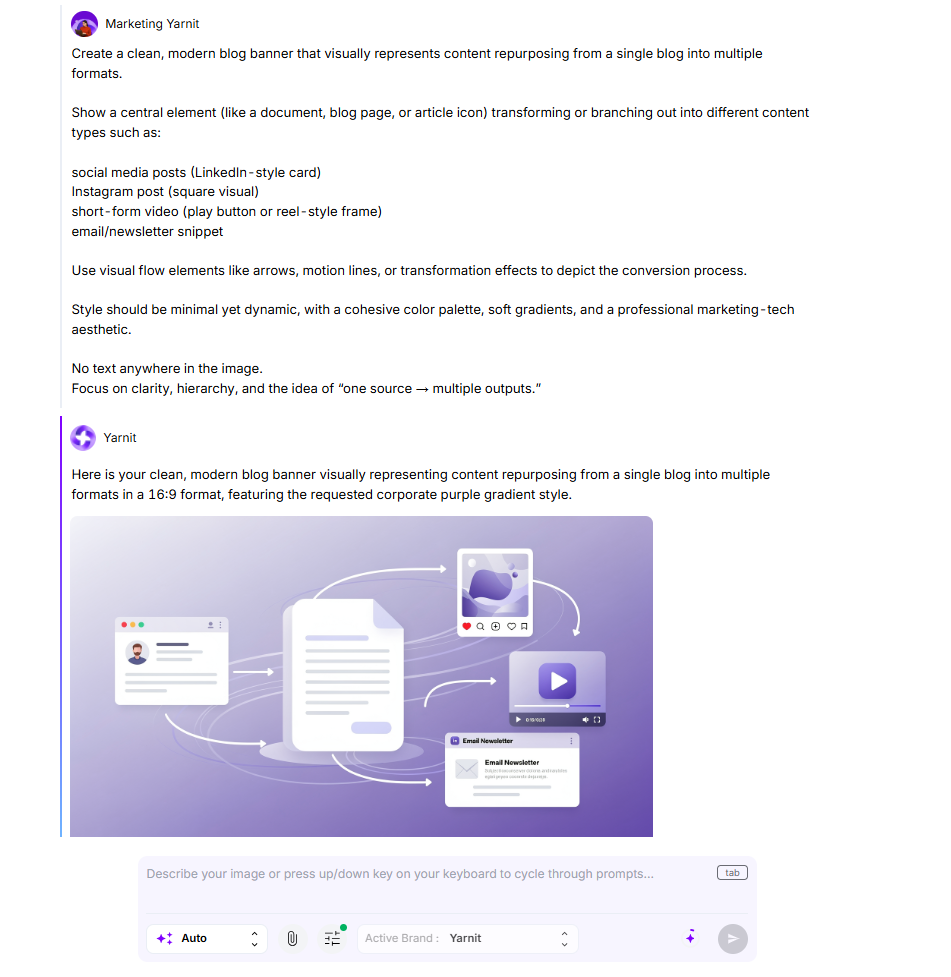
Cross-format repurposing. Resizing a Canva design to fit every platform is a manual, tedious process that eats up time that could go toward strategy.
Original imagery. Stock photo templates are increasingly recognizable to audiences. Marketers want tools that help them generate original visuals that feel custom to their brand.
Top Canva Alternatives for Social Media Graphics
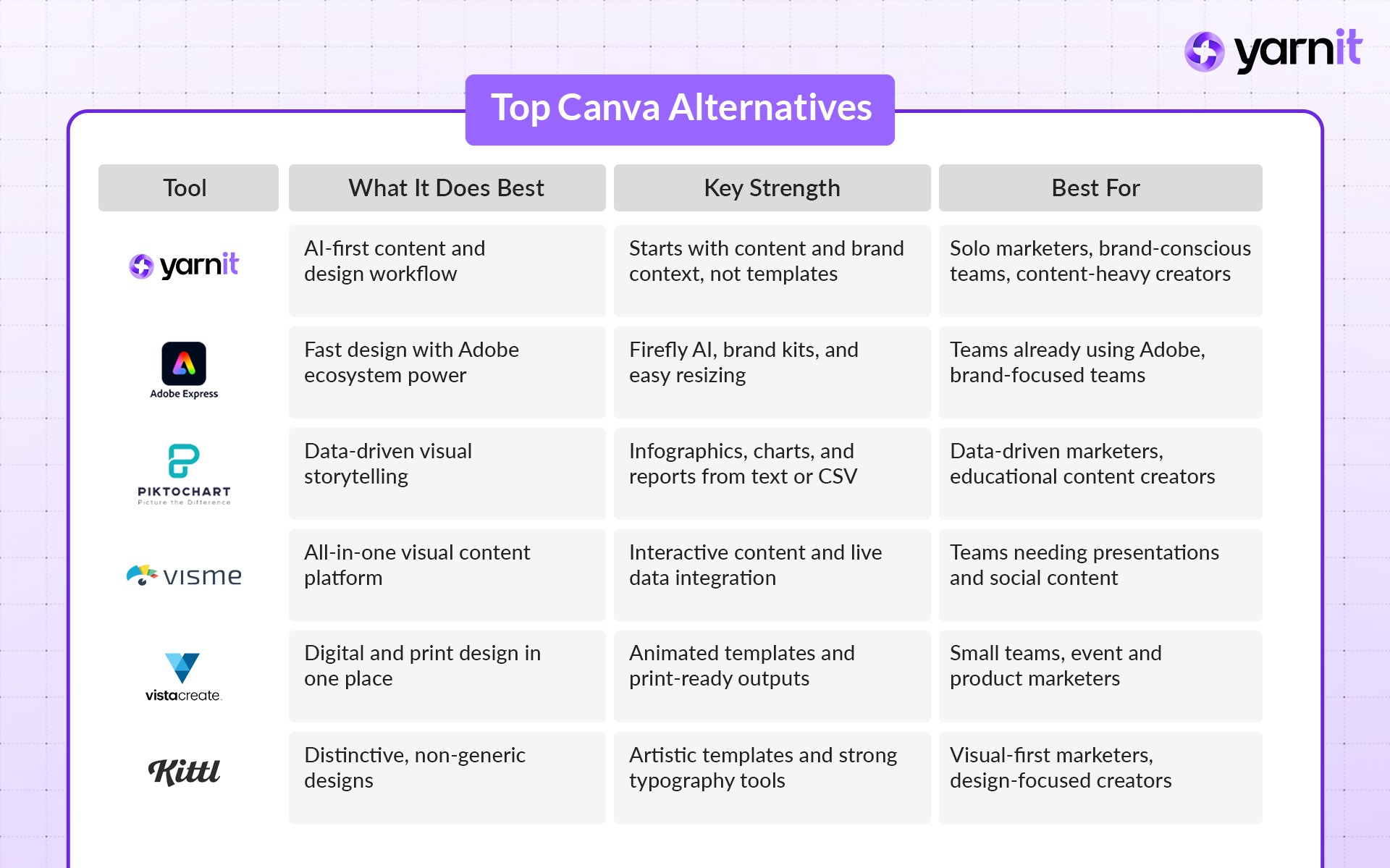
Here are six solid Canva alternatives for social media graphics. Each one fills a specific gap.
An AI-first all-in-one content platform that approaches social media graphics from a fundamentally different direction, starting from your content brief and brand context, rather than a blank canvas or a template library.
Where every other tool on this list asks you to start with a design and then fill in your content, Yarnit starts with your content, your brand, and your campaign goal, and works forward from there. It's not just a design tool, it's a content system that connects writing, design, and publishing in a single workflow.
Key Features:
Automatic Model Selection: The platform intelligently selects the optimal AI model based on your specific prompt and needs, whether that's photorealistic product visualization, abstract concept illustration, or branded content.
Enhanced Prompt Optimization: Built-in prompt engineering capabilities help transform basic instructions into sophisticated prompts that generate higher-quality, more relevant outputs. The prompt enhancer also performs model-specific optimizations, tailoring prompts to the unique prompting style of each model to ensure the best possible results.
Iterative Image Improvement: An intuitive chat interface allows marketers to refine images through conversation, adjusting elements incrementally until achieving the perfect result.
Built-in Editing: Integrated editing tools allow for final adjustments and refinements, ensuring images are perfectly aligned with brand guidelines before export.
Best for: Solo Marketers managing heavy content loads who need AI assistance, Brand-Conscious Teams who need consistency enforced at a system level, and Content-Heavy Creators who want to connect their writing and design workflows.
Adobe's answer to the demand for a fast, accessible design tool, built on decades of creative software expertise and now deeply integrated with AI through Adobe Firefly.
Adobe Express sits at an interesting intersection: it's approachable enough for non-designers but has the horsepower of the Adobe ecosystem behind it. If your team already lives in Adobe Creative Cloud, it's a natural extension. If they don't, it's still a capable standalone tool.
Key Features:
Access to 200M+ royalty-free Adobe Stock photos, videos, and music tracks on paid plans
250 generative AI credits per month (via Adobe Firefly) for commercially safe AI image generation
One-click Resize to automatically adapt designs across formats and platforms
Brand kits with template locking to prevent off-brand edits by team members
Best for: Brand-Conscious Teams, especially those already using Adobe products.
A visual communication tool built specifically around one job: turning data, information, and complex ideas into clear, engaging visuals,infographics, reports, presentations, and data-driven social content.
Piktochart is not a general-purpose design tool, and it doesn't try to be. That focus is actually its greatest strength. If a significant portion of your social media content involves sharing insights, statistics, process breakdowns, or research findings, Piktochart will outperform Canva considerably.
Key Features:
Purpose-built infographic creator with an extensive library of data-focused templates
Charts, graphs, maps, Venn diagrams, flowcharts, and SWOT analysis templates built in
AI text-to-infographic and text-to-report generation, paste in content, get a structured visual
CSV import for populating charts with real data
Best for: Content-Heavy Creators who regularly produce data-driven or educational content; marketing teams at companies where social content includes reports, statistics, and insights.
A versatile visual content platform that spans social media graphics, presentations, infographics, documents, and interactive content, all under one roof, with strong brand management capabilities.
Visme sits a level above both Canva and Piktochart in terms of breadth. Where Canva is strong on templates and ease of use, and Piktochart is strong on data visualization, Visme tries to cover both territories while adding interactive and animated content capabilities that neither of the others match.
Key Features:
Drag-and-drop editor with templates across social media, presentations, infographics, documents, and reports
Live data integration: connect directly to Google Sheets, Excel, and Google Analytics, with charts that update automatically when source data changes
Interactive and animated content, clickable presentations, animated infographics, embedded videos
AI design assistant for generating layouts, visuals, and copy suggestions
Best for: Brand-Conscious Teams and Content-Heavy Creators who need presentations alongside social content and want live data integration.
A full-featured design platform from VistaPrint — one of the world's largest commercial printing companies — that covers both digital social content and print-ready materials in a single workflow.
VistaCreate (formerly Crello) has been quietly building a very strong tool for marketers who need to create content that lives in two worlds: the screen and the physical. If your brand runs events, ships products, or regularly needs physical marketing materials alongside your social presence, VistaCreate's print integration is genuinely unique.
Key Features:
150,000+ templates across static and animated formats
One-click animated templates,moving social posts without any animation knowledge required
AI Image Generator for creating original visuals (premium feature)
Background remover, sticker maker, and image converter built in
Best for: Solo Marketers and small teams that need both digital and print content; marketers who want animated social posts without a learning curve.
An AI-powered design platform that stands out for its genuinely distinctive, artistic template library, the antidote to the generic stock-photo-over-a-gradient aesthetic that dominates most template tools.
Kittl started as a tool for print-on-demand designers creating t-shirts, labels, and posters, and that heritage shows in the quality of its aesthetic templates. The designs don't look like they came from a template tool. That's rare, and for marketers whose brand aesthetic is important to them, it's a meaningful differentiator.
Key Features:
Curated artistic template library with a strong vintage, typographic, and editorial aesthetic
AI Art Generator for creating original visuals from text prompts
Vector editing with adjustable anchor points, more design flexibility than most template tools
Multiple artboards inside a single canvas (useful for creating design variations without juggling multiple files)
Best for: Visual-First Marketers who prioritise aesthetic distinctiveness; creators who want their social graphics to feel custom rather than templated.
Deep Dive: Creating a Social Media Graphic in Yarnit's AI Creative Production (Dreambrush v2)
Of all the tools above, Yarnit takes a completely different approach. It is not just a design tool. It is a content system. Here is exactly what that looks like when you sit down to make a social media graphic.
Step 1 — Setting up your brand context
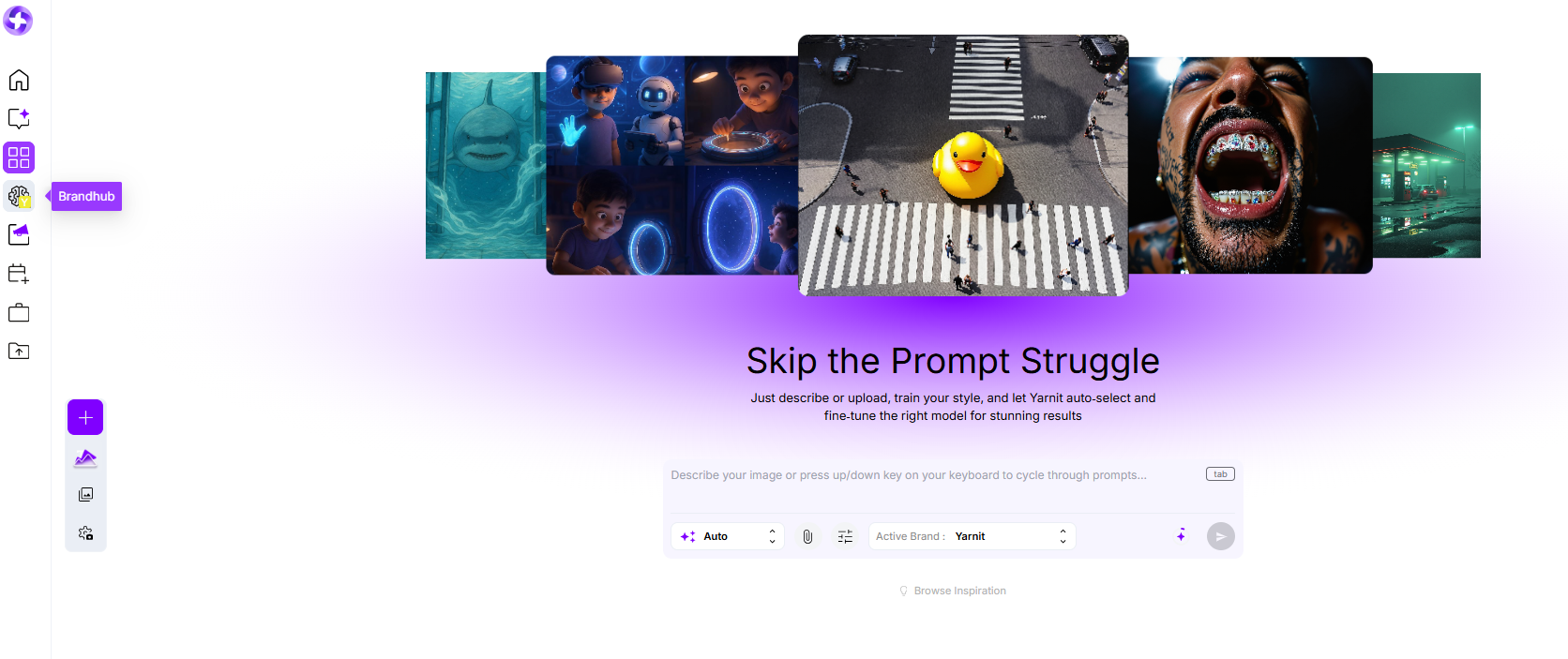
You start in the Brand Hub (also called Knowledge Hub). Upload your logo, color palette, font files, brand voice guidelines, and any past content or style examples. The system learns your rules. Every graphic it creates from then on stays on-brand automatically. No more fixing colors or fonts later.
Step 2 — Starting from a content brief
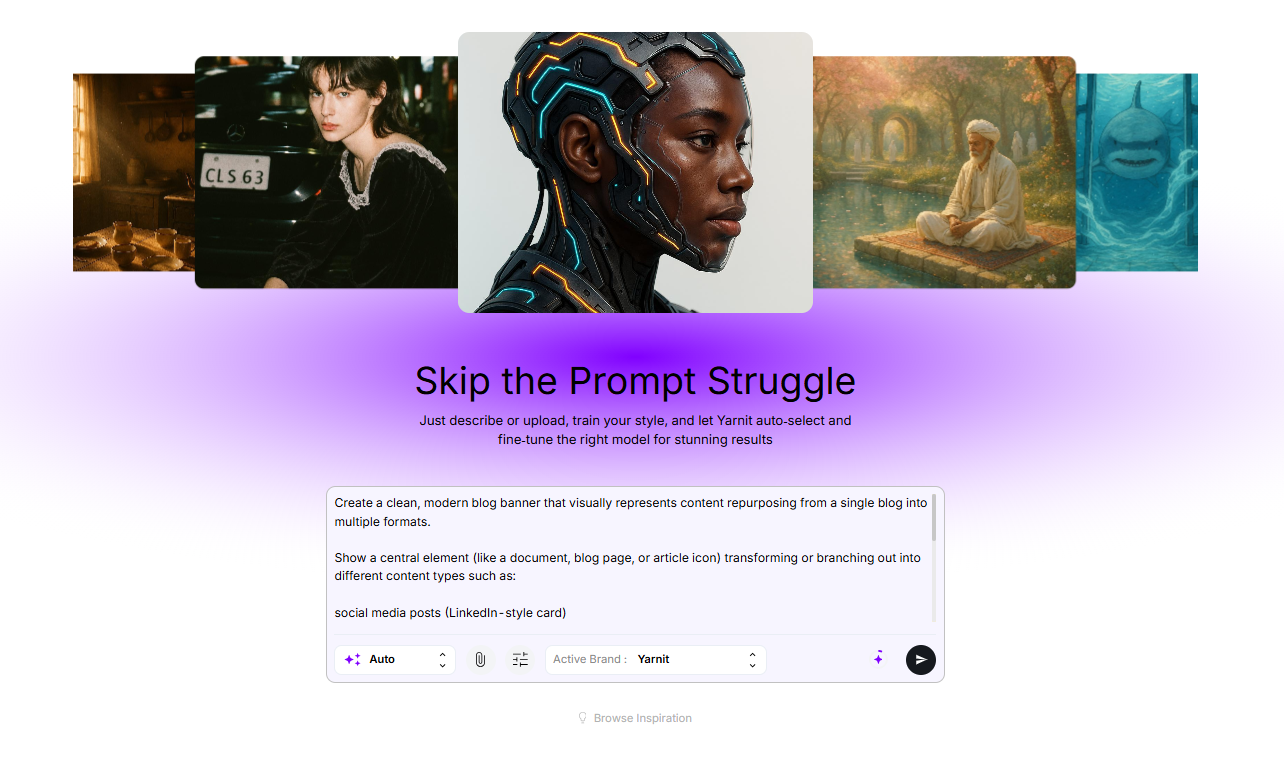
Instead of opening a blank template, you type your campaign goal or the actual post copy. Yarnit reads it and suggests visual directions that match the message. It pulls from your brand knowledge so the ideas already feel right. Read our blog on ‘How to Write Great Prompts for AI-Generated Art’ to get better on prompting!
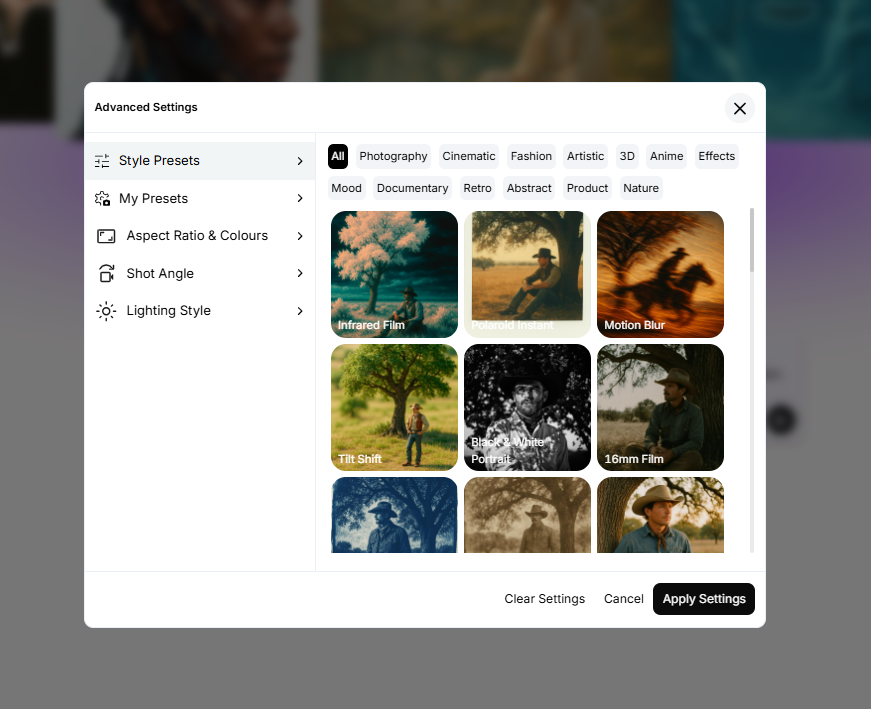
Step 3 — Filter through advanced settings
You can customize your design by choosing style presets, which give you the flexibility to shape how your final output looks and feels. Choose from a range of styles like cinematic, fashion, artistic, 3D, anime, or documentary, depending on the kind of visual you want to create.
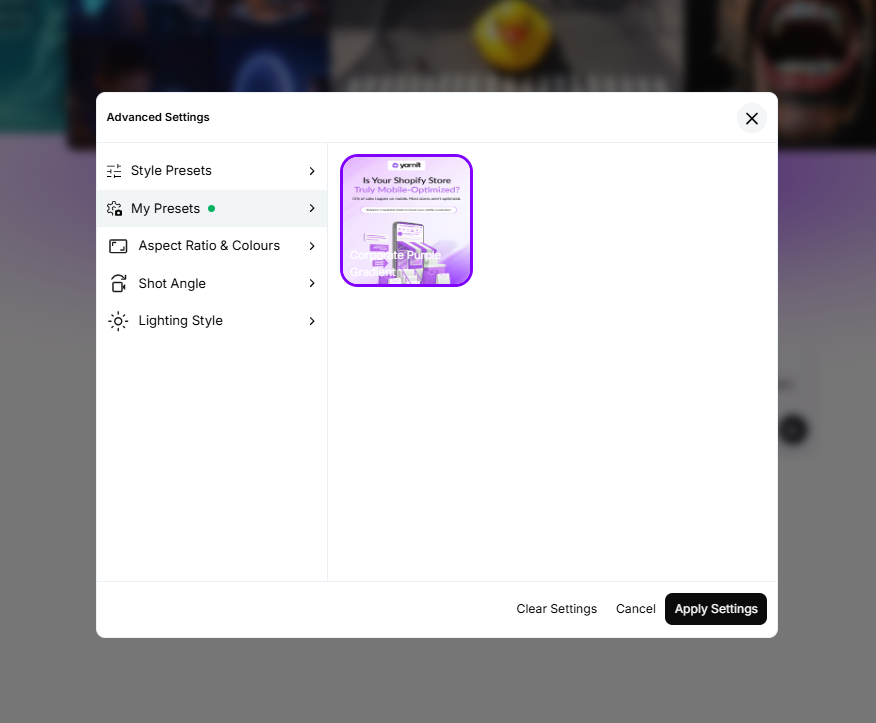
My Presets takes this a step further by letting you define your own visual reference. Set this up in the Brand Hub, and the system will automatically apply your preferred look and feel to every output, ensuring consistency without manual effort.
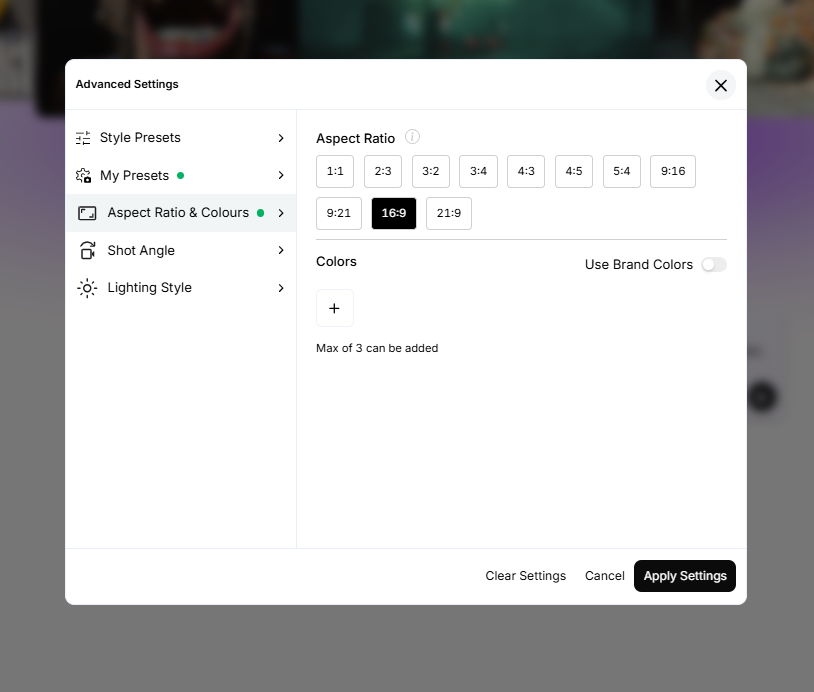
You can also control aspect ratios and colors. Select the format that fits your use case, whether it’s 16:9, 4:5, or others, and decide if you want the output to align with your brand colors.
With shot angles, you can guide the composition of your visuals,choose from options like close-up, mid-shot, low angle, or elevated perspectives to get the framing just right.
Finally, lighting styles help set the mood. Whether you want something bright and clean, warm and natural, or dim and dramatic, you can fine-tune the lighting to match the tone of your creative.
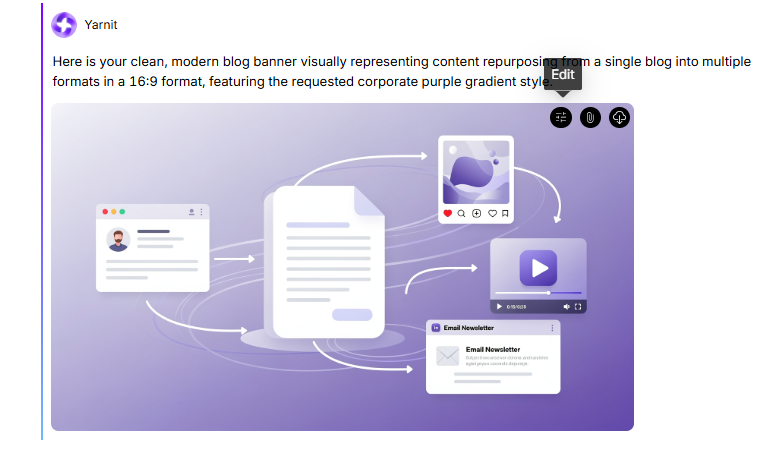
Step 4: Built-in Editing: Hover over the image to find the edit button on top right corner. This will allow for final adjustments and refinements, ensuring images are perfectly aligned with brand guidelines.
Closing: The Tool Is Only as Good as the Strategy Behind It
The shift happening right now in design tools isn't just about features. It's about a philosophical change in how content gets made.
For a decade, the standard workflow was: have an idea → open a design tool → build a graphic → post it. The tool was always the third step.
The newer generation of tools, Yarnit most explicitly, but others moving in this direction — are trying to collapse that workflow. Idea, writing, design, and publishing in one system, with AI handling the transitions between steps. Whether that's the right approach for your team depends on your volume, your brand complexity, and how integrated you want your content workflow to be. But it's the direction the category is moving, and it's worth understanding before you pick the tool you'll be using for the next two years.
The best tool isn't the one with the most templates. It's the one that fits how you actually work. Head over to yarnit.app and give it a spin. Your feed will thank you.
See exactly why your Product Detail Page isn't converting
Thank you! Your submission has been received!
Oops! Something went wrong while submitting the form.
Frequently Asked Questions
1. What are the best Canva alternatives in 2026?
Some of the best Canva alternatives include Yarnit Dreambrush 2.0, Adobe Express, Piktochart, Visme, VistaCreate, and Kittl—each suited for different use cases like AI workflows, data visuals, or brand control.
2. Why are marketers looking for Canva alternatives?
Marketers are exploring Canva alternatives due to limitations in scaling content, maintaining brand consistency, and handling AI-first workflows and cross-format repurposing efficiently.
3. Which Canva alternative is best for AI-generated social media graphics?
Yarnit Dreambrush 2.0 stands out among Canva alternatives for its AI-first approach, starting from content briefs and automating design, prompting, and brand alignment.
5. What should I look for when choosing Canva alternatives?
Look for features like AI-native workflows, brand kit enforcement, cross-platform resizing, original image generation, and ease of collaboration when evaluating Canva alternatives.

.png)

.avif)

%20(1).png)