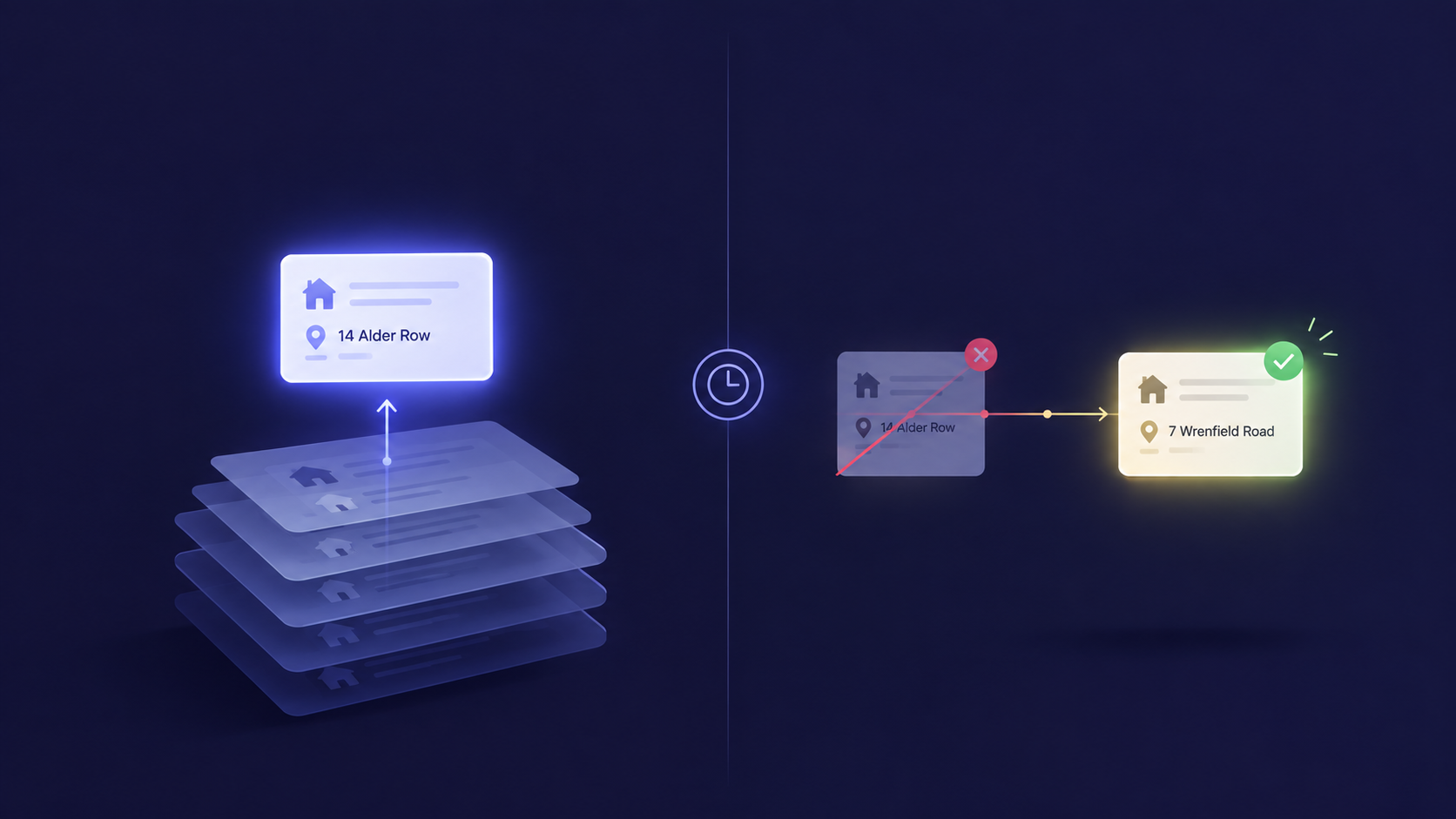
Organizing your Shopify products into collections is far more than tidying up your backend—it’s about creating a seamless and intuitive shopping journey that connects your customers with exactly what they want, fast and delightfully.
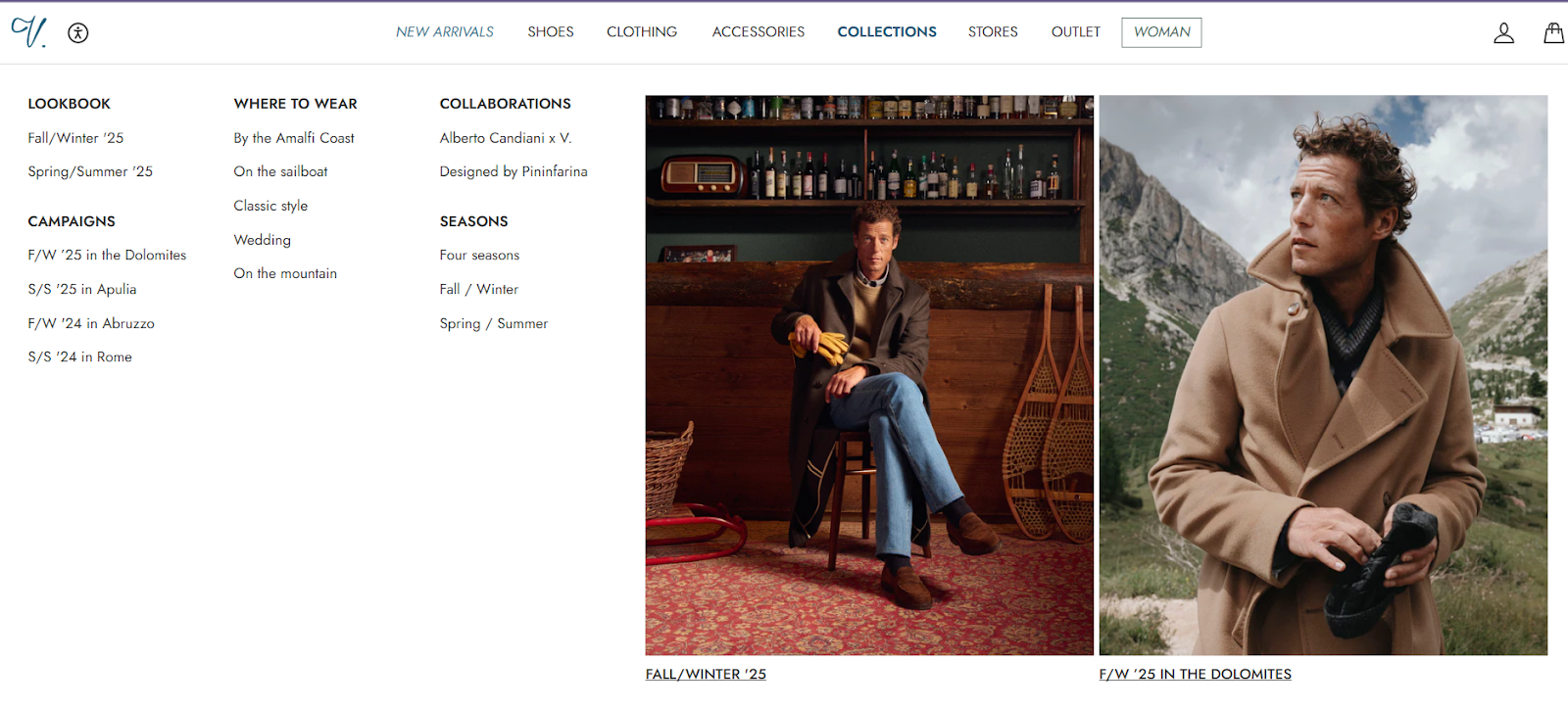
It’s clean, thoughtfully organized, and cleverly categorized by both lifestyle occasions (“Where to Wear”—Amalfi Coast, Wedding, On the mountain) and special collaborations. This approach gives shoppers clear, inspiring reasons to explore products—whether they’re planning an escape to the countryside or looking for a distinctive designer piece.
So, we wanna know - How do you organize your products in Shopify? Do you start by creating collections, tagging items, or maybe just add products as they come? If you’re like many store owners, figuring out the best way to create a seamless, navigable catalog can feel overwhelming at first.
But here’s the truth: a well-structured store begins with effective organization, and once you get the hang of it, it becomes a powerful tool to boost sales and enhance customer experience.
What Are Shopify Collections and Why They Matter for Your Store?
Collections on Shopify are groups of products that share a common theme, such as style, season, price range, or special promotion. Think of them as curated sections in your store that guide your visitors like a knowledgeable store assistant.
Well-organized collections:
Help your customers quickly find what they’re looking for, reducing frustration.
Create a smooth shopping journey that encourages browsing and multiple purchases.
Improve SEO by making it easier for search engines to index your pages with relevant keywords.
Enhance your brand’s professionalism and trustworthiness.
How to Add Products to Shopify Collections: Manual vs. Automated
Shopify offers two main methods to organize your products into collections:
Manual Collections This means you pick and choose exactly which products go into each collection. It gives you maximum control and is great if you want to create curated selections like "Staff Picks" or "Holiday Specials." To create a manual collection:
Go to your Shopify admin, click Products, then Collections.
Click Create collection and choose Manual.
Add the products you want by browsing and selecting them individually.
Automated Collections Here, Shopify does the heavy lifting. You set rules based on product attributes like tags, price, or vendor, and Shopify automatically adds products that meet those criteria to the collection. Perfect if you have a large or frequently changing inventory. To create an automated collection:
Create a new collection but select Automated.
Set conditions such as “Product tag is summer” or “Price is less than ₹1000.” Shopify continuously updates the collection for you.
Pro Tip: Use Product Tags for Powerful Automation
Using product tags wisely allows automation of your Shopify collections, saving you tons of time while keeping your store organized and up-to-date. For instance, suppose you want a "New Arrivals" collection that automatically features the latest products for a limited time. You can assign a product tag like "New Arrivals" to every fresh product added to your store. Then, set up an automated collection that pulls in all products tagged "New Arrivals." With tools like Shopify Flow, you can even create a workflow that automatically tags new products with "New Arrivals" when they’re added and removes the tag after, say, 30 days.
Best Practices for Organizing Shopify Product Collections
Organizing Shopify product collections is about designing a seamless, intuitive shopping experience that also supports SEO visibility. Build collections around customer intent rather than mere product categories; for instance, “Gifts Under ₹999,” “New Arrivals,” or “Eco-Friendly Essentials” make browsing purposeful and engaging. Keep collection names concise and keyword-rich so they’re easily understood by both shoppers and search engines. Avoid overlapping products between collections to maintain clarity, and use compelling banners or images that visually narrate what each collection stands for. Adding descriptive text about what connects these products strengthens both user experience and SEO indexing.
Once collections are curated, present them strategically across your storefront. Highlight trending or seasonal collections on your homepage as Featured Collections to draw instant attention. Use a visually clean Collection List grid to help shoppers navigate through themes or categories effortlessly. Integrate top-performing collections into your main navigation for one-click access, and ensure every collection page loads quickly and looks great on mobile. Together, these design and layout choices not only simplify product discovery but also enhance engagement and conversion.
SEO Tips for Your Shopify Collections
Each product page within your collections is an opportunity to convert browsers into buyers. SEO optimization of your Shopify product collections helps new customers discover your store via search engines:
Include important keywords like shopify products, how to add products to Shopify, and shopify product collections naturally in your collection titles and descriptions.
Craft unique meta descriptions for each collection, highlighting what makes it special or useful for shoppers.
Maintain clean URLs with relevant keywords (e.g., /collections/organic-skincare).
Internally link between collections and related blog posts or pages to improve site structure and dwell time.
Mastering Shopify SEO is about going beyond the traditional SEO tactics as it requires an evolved and specialized approach due to Shopify’s unique platform characteristics.
Keeping Your Shopify Collections Up-to-Date
Keeping your Shopify collections current is key to maintaining a vibrant, trustworthy online store. Regularly audit your collections to remove discontinued or out-of-stock products, ensuring shoppers never encounter unavailable items. Continuously add new merchandise to “New Arrivals” and other featured collections so your storefront feels dynamic and relevant. Timely updates based on your marketing or product calendar—such as introducing festive, seasonal, or limited-edition offerings—help create excitement and drive repeat visits.
Equally important is rotating event-based or promotional collections like clearance sales and festival specials to keep the shopping experience fresh. This flexibility not only aligns your store with ongoing campaigns but also reinforces your brand’s responsiveness and credibility. Consistent updates signal an active business that values customer convenience, encouraging greater engagement and loyalty.
Organizing your Shopify products into collections is far more than tidying up your backend—it’s about creating a seamless and intuitive shopping journey that connects your customers with exactly what they want, fast and delightfully.
When you invest in thoughtful collection strategies—leveraging automation, smart tagging, SEO best practices, and enhanced product page optimization—you transform your store into a powerhouse that works for you 24/7. Your collections become dynamic showcases that reflect your brand’s story while meeting shopper intent at every turn. Once your collections strategy is solid, take it a step further with Yarnit’s PDP Generator to craft compelling, conversion-ready product detail pages that bring every collection to life.
Take control today by revisiting your collections strategy and watch how a well-organized store transforms your customer’s shopping journey and your business outcomes.
FAQs:
Q1: What are Shopify product collections? A: Shopify product collections are groups of products organized by shared attributes such as type, season, or price, to help customers browse your store more easily and improve site SEO.
Q2: How do I add products to Shopify collections? A: You can add products manually by selecting them yourself or automate the process with rules based on product tags, type, or price to keep collections updated automatically.
Q3: What’s the difference between manual and automated collections? A: Manual collections require you to pick products yourself, offering full control, while automated collections add products based on criteria you set, saving time in large inventories.
Q4: How can I improve SEO for my Shopify collections? A: Use clear, keyword-rich collection names and descriptions, optimize meta titles and descriptions, maintain clean URLs, and update collections regularly to boost search visibility.
Q5: How often should I update my Shopify collections? A: Regular updates are essential—remove discontinued items, add new products to “New Arrivals,” refresh seasonal collections, and keep promotional mixes current to ensure a great shopping experience.
See exactly why your Product Detail Page isn't converting
Thank you! Your submission has been received!
Oops! Something went wrong while submitting the form.




.avif)
%20(1).png)